
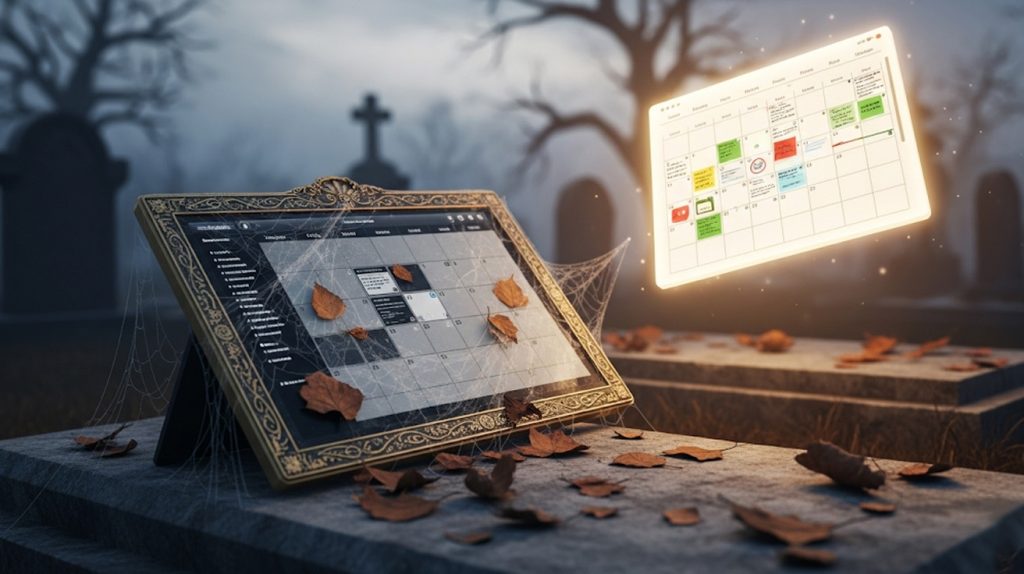
Let’s be honest. You’ve been here before. It’s the beginning of a new month, and you’re feeling motivated. You download a beautiful content calendar template, fill in a few ideas, and you feel on top of the world. A week later, it’s already a forgotten project, just another good intention left to die.
Welcome to the content calendar graveyard. You’re not alone. Most content calendars fail for one simple reason: they’re not built for the way you actually work.
They’re too rigid, too complicated, or just a chore to maintain. And so they sit there, a monument to your good intentions, while you go back to the stress of creating on the fly.
But what if you could change that? What if you could build a content calendar that actually makes your life easier, not harder? This guide isn’t just about dates and topics. It’s about creating a system that’s built for your workflow, so you can finally get consistent without the stress.
The First Decision: Digital or Paper?
So, you’re ready to build a calendar that works for you. Your first decision is the most important: are you going digital or old school? There is no right or wrong answer here, just the right answer for you.
Going Digital (The Organized Ninja)
Digital tools are powerful, flexible, and perfect for teams or anyone who works on the go.
Pros:
- Collaboration: Easily share your calendar with a team.
- Automation: Use tools to schedule posts automatically.
- Easy Edits: Drag and drop posts to change dates in seconds.
- Access Anywhere: Your calendar is with you on your phone, laptop, or tablet.
Cons:
- Too Many Tools: Can feel overwhelming if you’re not a tech person.
- Less Personal: It’s just a screen, not a physical item you can touch.
Going Paper (The Tactile Thinker)
A physical calendar is surprisingly effective and a great way to reduce screen time.
Pros:
- Physicality: The act of writing things down helps them stick in your brain.
- No Distractions: It’s just you and your plan, with no notifications.
- Creative Freedom: You can use colors, doodles, and stickers to make it your own.
Cons:
- Not Shareable: Hard to collaborate with a team.
- Hard to Edit: You have to erase or scratch out changes.
- No Backup: If you lose it, your plan is gone.
So, ask yourself: Are you a spreadsheet wizard or a notebook doodler? The best system is the one you’ll actually use. That’s the only rule that matters.
Set Your Goals (Before You Do Anything Else)
Stop right there! Before you go buy a fancy planner or sign up for a new software tool, we need to have a little talk. A content calendar is a tool, not a strategy. You can’t build a roadmap if you don’t know where you’re going.
Without a clear goal, your content is just noise. It’s like throwing a party and not inviting anyone. You’ll be posting just to post, with no purpose. Your content will be random, and so will your results.
Your content calendar has to have a purpose. It needs to be a tool that helps you reach a specific destination. So, what are you trying to achieve?
How to Define Your Content Goals
Your goal can be as simple or as specific as you want, as long as it’s clear. Here are a few examples:
- If your goal is more followers, your content should be highly engaging, shareable, and focus on trending topics.
- If your goal is more leads, your content should be educational and drive traffic to a free download or webinar.
- If your goal is more sales, your content should showcase your products, share testimonials, and include direct calls to action.
When you have a clear goal, every single piece of content you create has a job to do. And that’s how you turn a simple calendar into a powerful growth machine.
What to Include in Your Calendar (The Must-Have Details)
You’ve got a goal, and you’ve chosen your format. Now, let’s get into the nitty-gritty: what actually goes into your calendar?
A good content calendar is more than just a list of post ideas. It’s a complete blueprint for every single piece of content you create. The more detail you add up front, the easier it gets to execute.
Here are the essential details that will turn your calendar into a powerhouse:
- Date and Time: This is the easy part. Decide when the content is going live.
- Content Pillar: Connect every piece of content back to your core topics. This keeps your brand message laser-focused.
- Post Idea/Title: A quick, one-line summary of what the post is about.
- Content Format: Is it a Reel? A carousel? A story? A blog post? Knowing this ahead of time is key for batching your content later.
- Key Message/Purpose: What’s the one takeaway you want your audience to remember? Is the goal to educate, inspire, or entertain?
- Call to Action (CTA): Tell your audience exactly what to do next. Do you want them to comment, save, or click the link in your bio?
- Hashtags/Keywords: Don’t guess. Research your hashtags and keywords now, so they’re ready to go when it’s time to publish.
- Status: Track your progress. Is the post in the idea phase, in progress, scheduled, or published?
This might seem like a lot of work up front, but it’s a massive time-saver in the long run. It means you can sit down and create without having to think about a single thing. You just execute.
Identify Your Channels (And Stop Trying to Be Everywhere at Once)
So many creators and businesses think they have to be on every single platform. Instagram, TikTok, Twitter, YouTube… The list goes on. But trying to be everywhere at once is one of the biggest mistakes you can make.
Why Being a Master Is Better Than a Dabbler
When you spread your time and energy across five different platforms, you can’t be great at any of them. You end up creating a little bit of mediocre content for each one, and you get mediocre results.
Your goal isn’t to be a dabbler. It’s to become a master of a few platforms. This allows you to focus your energy, understand the nuances of the algorithm, and create truly great content that stands out.
How to Strategically Choose Your Platforms
Don’t guess. Use this simple guide to choose your channels:
- Where is your audience? This is the only question that matters. Don’t post on LinkedIn just because everyone else is. Go to the platform where your ideal clients are already hanging out.
- What content do you love to create? If you hate being on camera, don’t choose TikTok. If you love writing, focus on a blog or a newsletter.
- Start with just one or two. Pick the platform that aligns with your audience and your strengths. Master that platform. Then, and only then, consider adding another one.
Your content calendar should only include the channels that matter. Everything else is just a distraction.
Make It Your Own (Customization Is Key)
A template is just a starting point. This is where you get to have fun and build a system that’s designed for your brain. The goal is to create a calendar you actually want to look at—one that makes the whole process feel easy and intuitive.
How to Use Visuals to Make It Easy
Your calendar should be a visual powerhouse that gives you a quick snapshot of your content at a glance.
- Color Codes: Assign a color to each of your content pillars. This way, you can see if your content is balanced and on-brand at a glance. For example, all of your “educational” posts could be blue, while all of your “promotional” posts are red.
- Tags or Labels: Use labels to organize your content by topic, status, or even urgency. A “to-do” label can help you prioritize, and a “done” label gives you a satisfying feeling of progress.
- Checklists: Add a checklist to each post with steps like “Write Caption,” “Find Photo,” or “Research Hashtags.” This keeps you from forgetting a step and makes the content creation process feel like a simple to-do list.
The best content calendar isn’t the prettiest, the most expensive, or the one with the most features. It’s the one that you’ll actually use. By making it your own, you’re not just creating a calendar. You’re creating a habit that will lead to consistent content and real growth.
Conclusion: The End of Content Panic.
You’ve made it. You now have the full blueprint to create a content calendar you’ll actually use. You understand that the best calendar isn’t a rigid template—it’s a flexible system designed for your brain.
Remember, it starts with a simple decision: Digital or paper? Then, you set your goals before doing anything else. After that, you add the must-have details to your plan and identify your channels so you can stop trying to be everywhere at once. Finally, you make it your own to create a visual system that works for you.
This is your chance to say goodbye to the content calendar graveyard forever. The panic of not knowing what to post is over. You have a system that’s built for you, not against you.
Now, it’s time to take action. Which of these steps are you going to tackle first? Let us know in the comments below!